Archive for December, 2009

Syllabus of Motherboard & Laptop

Module : Motherboard

  • Introduction of Motherboard,Block Diagram of Motherboard,
  • Description of Slot Ports : Describe of all sections , Slots & ports Identification , RTC(real Time Clock)
  • Voltage Regulator Module section(Block diagram, Working ,Output  Current sense, Input volt Sens , Five bit Programmable section, Circuit of VRM , Testing and fault Finding),
  • Clock Generator Section, Types of CLock Generator , Working and testing of Clock Generator
  • Introduction of North Bridge & South Bridge section,System  Control ,GMCH , ICH etc.
  • Description of BIOS Section , Types of ROM ( BIOS),Testing & Fault Finding of BIOS
  • I/O Controller Section, Working of I/O (Input Output)Controller,Types of I/O Controller,Identification of I/O ,Pin detail of I/O Controller,Section wise description of I/O Controller(FDC Interface Stage,keyboard Interface Stage,LPC Interface  Stage,Multimode Parallel Port Stage,Communication , ACPI Interface Stage , Hardware Monitoring Interface Stage , Input/output Ports,Power division Stage)Testing and fault Finding.
  • Audio section, Working of Audio Section, Types of Audio Section , Version of Audio Section , Testing & Fault finding.
  • General Fault Finding of Mother Board : Testing Flow Chart.
  • C.R.O , Operating of CRO , Troubleshooting by CRO .
  • Soldering & Desoldering , Soldering & Desoldering of Chip  Components by SMD , IROn & Hot air gun.
  • CMOS Setup , CMOS Setup Utility & Controlling Option of Setup , on Board BIOS Programming  .

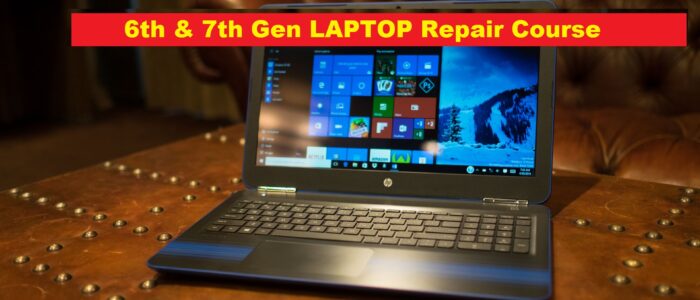
Module : Laptop

  • Introduction : Comparison of Various Laptops, Difference between Desktop & Laptop , Assembling & De-Assembling : Parts Identification.
  • Block Diagram : Block Diagram of Laptop & its Description , Keyboard & Mouse.
  • Battery section : Battery section , Testing & Fault Finding , Ni-Cd , Ni-Mh , Li-ion Battery.
  • Power Control Section/Volt In Section : Working of Power control Section, Testing & fault Finding.
  • Micro Controller Section: Working of H8/3437 Micro Controller Section, Testing & Fault Finding.
  • V.R.M Section : Working of Voltage Regulator Module,Testing & Fault finding. Control Circuit, Oscillator Circuit , Sensor Circuit & VID Selector Circuit.
  • PCI Controller : Working of PCI Controller , Modem , PCMCIA etc.
  • IEEE 1394 Firewire Section : Working of IEEE 1394 , Testing & Fault finding ..
  • Audio section : Working of Audio Section , Testing & Fault Finding of Audio Section & Type of Audio Section.
  • DSP/System Control Section : Working of DSP (Digital Signal Processor) & System Control Section , ICH
  • TFT Panel : Working of CCFL Section, Testing & Fault finding of CCFL Section .Types of TFT Film array working of LVDS IC , Working of Bounding pad , Testing & Fault finding.
  • General Fault Finding & Testing :  General Fault Finding & testing of Laptop MotherBoard.
  • Identification of laptop Section/part ; Identification of Laptop section , Ports , Slots and interfacing Connector & Utility
  • Battery Section : Battery Refilling Testing & fault Finding
  • Adaptor Power supply : Adaptor Power Supply
  • TFT/LCD Section : testing & Fault Finding of TFT/LCD section and CCFL Circuit

Syllabus of Printer

Module :P rinter(DMP,Inkjet,Laser)

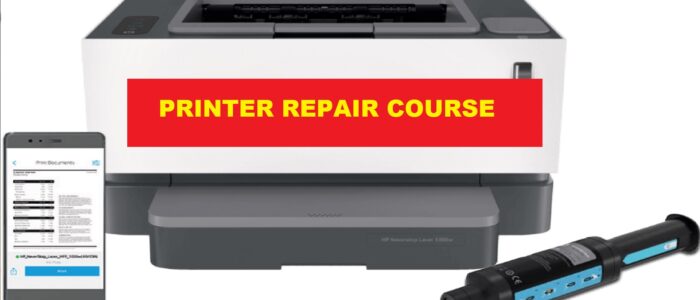
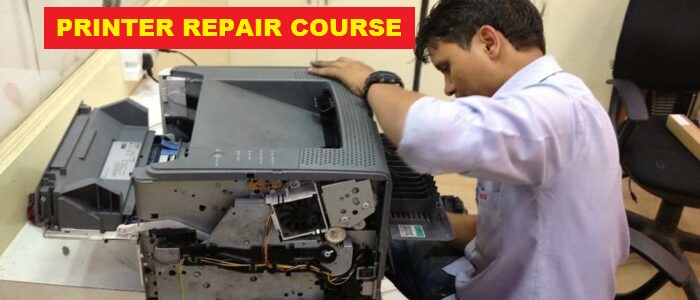
  • Introduction of Printer , Classification of printer , Different section of Printer , its detail and identification , Interface Section , Repairing of Printer, Testing of Printer(Self Test, Test by Computer)
  • Block Diagram of DMp Printer and its description , Layout of DMP Printer , Paper Sensor , Home Sensor , Front Panel LED Indicator , Carriage Motor Driver,paper Feed Motor Drive , Print Head Driver , Power Supply , Description of 24 V and 5V Power Supply , CPU and DIP Switch , Gate Array ,RAM , ROOM Pin Details , Fault Finding of Printer.
  • Types of Inkjet Printer , Thermal Process , Print HEad , Different sections of Inkjet , Motor , Sensor , Caping Locking , Wiping , Splitting , Mechanism of Inkjet Printer & detail .
  • Function Block Diagram of LASER Printer and its Process , Image Formation (Cleaning to Fusing Process) , Electronic Section of Laser Printer(Formater PCA and DC Controller), Mechanical Section of Laser Printer(Paper feeding , Motor Solenoid) , Fault Finding of Laser Printer. , Refilling

Module : All in One Printer:

  • Introduction of All in One Printer , Printing Technology , Catridge Maintenance , Scanner Technology , Resolution Function keys and Operating Menu, Working of Different Section of All IN ONE PRINTER , Working of Power Supply Stage , Block Diagram of all in One Printer , Working of all Sections(PWM Regulator and motor Driver, Control Panel Circuit , RAM and ROM Stage , Voice Codec Stage, Fax Modem Stage, Line Side Stage, DC Power Control Stage , Audion Controller Stage , Encoder Signal Inverter Stage , Print HEad Cartridge Controller Stage , Microprocessor stage) all Connector detail , Mechanism of ALL IN ONE PRINTER and Detail, Refilling

Syllabus of SMPS ,UPS , Monitor & keyboard

Module  : SMPS

  • Introduction of Basic Component , Working principle of SMPS , Introduction of AT , ATX & BTX SMPS , Connector Details with Voltage and Color , Block Diagram of SMPS , AC/DC stage , PS Stage , Osc & Driver , Switching output , DC Output , +3.3 V Reg. & PG Stage

Module : UPS

  • Introduction of basic electronics , Introduction of UPS , Relay switch , Transformer Working , Fundamental of UPS & UPS Block Diagram , AVR Stage , Voltage Regulator Stage , Charger Stage , Oscillator Stage , Switching Stage , AC low & Hgh Sensor stage , AC/DC Selector Stage , Battery Low Stage , battery deep discharge protection stage .

Module : CRT Monitor

  • Introduction of Monitor , Types of Monitor , Monitor CRT – (i) Mono CRT (ii) Colour CRT , CRT Working , Deflection Coil , Degauss Coil , Rotation Coil , Signal Cable Connector Description, Color Monitor , block Diagram .
  • Identification & working of Monitor section , SM Power Supply , Video Amp Stage , Video Driver & Output Stage,OSD Stage , System & System driver stage , Horz Osc State , Horz Driver & Output  Stage , EHT Stage , Vertical  Osc Stage , Vertical Driver Output Stage.

Module : LCD/TFT Monitor

  • Introduction of LCD , Working of LCD/TFT , Manufacturing of LCD/TFT , Different Between CRT & LCD/TFT VGA & DVI Cable , Introduction of Different Stage.
  • Identification and Working of LCD/TFT Monitor Section(Power supply Stage , Inverter Stage, Block Diagram of Main Board, Block Diagram of TFT Panel , Main PCB , Monitor Control Stage , Memory Stage , Functional Keyboard, Scaler Stage)

Module : Keyboard,Mouse & scanner

  • Types of Keyboard , Technology used in Keyboard, Scanning of row and Column and Interfacing, Key Rollover , Key debounce , QA Plus Software , Circuit Diagram and Fault Finding , Pin Details and Testing of Micro Controller , Wireless Keyboards.
  • Functions of Mouse , Types of Mouse , Cable Detail , Interfacing , Card Conflicts ,IRQ Conflicts , Optical Mouse , Wireless Mouse
  • Basics of Scanner , Types of Scanner on the basis of (i)Image Scanning (ii) Technology used in Scanner , Detail of DPI, SPI ,PPI , Interfacing,parts of Scanner,Port Controller , Power LED , Stepper Motor , Scan Head Unit , Home Sensor , Invertor , Fault Finding of Scanner

Syllabus of Analog & Digital Electronics

Module : Analog Electronics

  • Introduction of Electricity , Digital Multimeter , Resistance, Colour Code , Frequency , Capacitor , Value checking of resistance& capacitor , Coil , Transformer ,Diode , Transistor , FET , MOSFET , Diac , Triac , SCR , Sensor , Photo Transistor , ICs(Analog, Digital),Soldering & De-Soldering.

Module : Digital Electronics & Microprocessor

  • Introduction of digital Electronics , Difference of Analog & Digital ,Number System and Conversion , Addition & Subtraction, Introduction of Logic  Gate , gate Combination , Multiplexer and Demultiplexer , Comparator & parity Checker , F.F(SR , CLK-SR,JK,Master-Slave , D Type) , Register & Types of register , Universal Shift Register IC , Semiconductor memory(read & Write Operation) & Types of Memory (RAM & ROM)
  • Introduction of Microprocessor , Block Diagram of MicroComputer , Block Diagram of CPU with system Bus , Bus Organization in Microprocessor , Pin Detail , Diagram of Microprocessor , Data & Address deviation , Generate Control Signal in Microprocessor , Detail of Microprocessor

Syllabus of Operating System & Internet

DOS

  • Introduction , Hardware & Software , Types of Software : System Software & Application Software , Types of FIle , Types of Directory , Key Details of Key Board.
  • Introduction of DOS , Introduction of Boot & Boot Process , Details of Bootable Files , Types of Command(Internal & External).
  • Internal Commands DIR , CLS , DATE , TIME , COPY CON , TYPE , MD, RD , CD.. , CD\ , DEL , COPY , Introduction of various error messages ; Path Command.
  • External Commands : Command.Com , FORMAT, UNFORMAT , UNDELETE , DOSKEY , ATTRIB , MEM , CHKDSK , SCAN ,DISK DEFRAG , EXPEND , EDIT , BACKUP , RESTORE . Details of Autoexec.Bat and Config.sys

WINDOWS

  • Introduction of Windows-Xp & Different versions , ( Media center , XP  Plus , XP Crystal , XP Professional , VISTA etc , Difference of Window & DOS , Introduction of Desktop & Icons , CREATE New Files and Folder , setting Files & Folder , Introduction of Title Bar , Tool Bar , Standard bar , Menu Bar , Address Bar , Scroll Bar , Static Bar .
  • Introduction of Display Properties : Themes , Desktop , Screen saver , Appearance Settings , Web Setting , Color Setting , Refresh , Arrange icon Setting , Introduction of Control Panel , Start Menu Program , Accessories , Systems Tools , magazine CD Theory , magazine CD on Windows-Xp .

Internet

  • Introduction , www(World Wide Web ) , Internet Sites , E-Mail id , E-mail Sending , Web pages etc.

Syllabus of Assembling & Installation

MODULE  : Assembling
  • Introduction of Assembling, Difference between Branded & Assembled Computers , Introduction of Computer Different Devices(Power Devices , COntroller Devices, Processing Devices,Memory Device,Display Device,Input device,Storage Devices),Compulsory Parts of Computer,Optional Parts of Computer.
  • Microprocessor Selection(Processor Frequency,Bus Speed, Cache RAM , Processor Marking) Type of CPU(Normal CPu,HT CPU,Mobile CPU,Centrino CPU,Dual Core CPU ,Quad Core CPU,etc.),Introduction of different Companies (Intel,AMD,Cyrix,etc.)
  • Details of Different CPU Series(P-I , P-II,P-III,P-IV & Celeron,AMD,HT-Supported CPU),CPU Slots(Socket 1-8 , Socket 370,Socket 423, Socket 478…..etc),Input Output Slot(ISA,VESA,PCI,AGP,AMR,CNR,PCI Express etc.),Introduction of RAM Slot (SIMM,DIMM,RIMM) Introduction of Motherboard’s Chip Set (INTEL,SIS,VIA,NVIDIA,AMD)Onboard Facilities.
  • Introduction of Memory & Types of RAM(D-RAM , SD-RAM,DDR-RAM,RD-RAM,DDR2-RAM etc.), Identification and uses on Motherboard.
  • Power Supply : AT ,ATX & BTX(Detail & Difference ), Monitor (Detail & Difference)
  • Introduction of Storage devices , Types of Hard Disks(IDE , SCSI,SATA ,USB etc.),Identification of HDD Capacity ,Model,RPM Speed & Companies Comparison ,Jumper Setting ,Types of Floppy Disk Drive , Details of CD ROM , CD Writer , Combo Drive , DVD Drive , Pen Drive , etc. , Introduction of Peripherals : Keyboard , Mouse , Printers , Scanners, UPS , etc ., (Details & Differences)
  • Types of Cards : Display , IDE , Sound , Modem , LAN Card , TV-Tuner , (Internal , External ) Cable and Connectors (Power Cable,FDD Cable , FDD Port ,USB Port , serial Port , parallel Port , Fire Wire Port , Game Port , SATA Port  etc.) , Convertors(Serial to PS-2 , PS-2 to Serial , USB to PS-2 , USb to Serial , USB to Parallel etc.) , Introduction of Different Types CMOS Setup and CMOS Configuration .

MODULE : Installation

  • Introduction , Types of partition , Types of Software , Create partition FAT-16/32 by Fdisk /DM Software , Installation of DOS 6.22 , Editing of Autoexec.bat & Config.Sys , Installation of CD ROM Driver , Installation   of ROD base Software .
  • Installation of Windows -09 ,Installation of Display & Sound Driver , Hindi Font etc.
  • Installation of Win -XP , Installation of Different Drivers (Sound , display , USB Devices, Printer , Scanner , Web Camera , TV Tuner Card , Modem , Modem Setting)
  • Installation of Application Software,(Office XP , Visual Studio , Java , Auto Cad etc)
  • Installation of DTP Softwares( Photoshop , Corel , PageMaker , etc.), Installation of Media Players ( Adobe Flash Player , RealOne Player , Jet Audio ,Power DVD) , Installation of Multiple Booting (Win-98 , Win-XP , VISTA Media Center) , installation of Web Camera , Digital Camera , Modem , Pen Drive , Mic , Sound Recording , USB CD Rom , USB Floppy disk , etc.
  • Installation of Nero , Anti-Virus (Win-98 & XP OS) , Scan Virus File & Folder , Repair Virus File & Folder , Create  a Rescue Disk , Installation of Acrobat Reader , WinZip Vista Installation etc.

How to Start Franchisee ?

Step 1 :Download and fill CHIPTRONIKS’s Franchise Application form.

Download this Application Form and fill in all the details. After completion, send the form to CHIPTRONIKS Head Office or email the same to franchise@chiptroniks.com.

Step 2 : Telephonic Conversation

Post receipt, the form will be reviewed by the Franchise department followed by a telephonic conversation between a Chiptroniks representative and you. This will help us understand your suitability as a CHIPTRONIKS Business Partner. You will be contacted for the Telephonic Conversation within approximately 48 hours of the date of receipt of your Application Form. We may sometimes take more than 48 hour as we receive a lot of franchise applications.

Step 3 : Personal & Territorial Research Form (P&T Form)

After the telephone conversation, a P&T form will be sent to you to research the area and city to examine different aspects that affect the business of CHIPTRONIKS Franchise. This form will also help you understand the business potential in your area. Once you have researched your area and filled the form, send it to CHIPTRONIKS Head Office or email it to franchisee@chiptroniks.com

Step 4 : First Meeting

A face-to-face meeting shall take place between you and a Chiptroniks representative. This is the most important part of this process, you will be given a detailed introduction to CHIPTRONIKS during which the franchising opportunity will be discussed at length. Complete Project report along with the investments and resources required will be discussed. Questions you may have about franchise operations would also be addressed during this meeting.

Step 5 :Contact Existing Partners

We at CHIPTRONIKS believe that before taking up a franchise you must understand the business you are getting into. We, therefore, encourage all interested parties to contact the existing CHIPTRONIKS partners and get first hand information from them about partnering with CHIPTRONIKS. Such verifications are significant while researching any business opportunity and we believe that it gives one the confidence to take a better decision. You may contact any CHIPTRONIKS  representative during this period or in the future for questions that you have.

Step 6 : Screening

Once you feel 110% confident about joining the CHIPTRONIKS  team, we will ask you to a sign a Letter of Intent (LOI) stating your intent to take up a CHIPTRONIKS Franchise. Every franchisee, before joining the CHIPTRONIKS network, goes through a screening process which helps us understand him better. You will be required to pay a refundable Security Deposit before the screening process starts.

Step 7 : Final Approval

You will be notified about the screening process within 3 days regarding the final approval. During this stage you will also be required to submit a business plan for the next 3 years for evaluation. This is to understand your ability as a business partner and also to earmark business areas that need attention. Final approval shall be granted by the Head Office following which you will sign an MOU.

Step 8 : Location Selection

After the final approval, you will be required to search for 2-3 location options for a CHIPTRONIKS learning centre as per the criteria stated by CHIPTRONIKS. Once these location options are submitted, a CHIPTRONIKS  representative shall visit the location and approve the same as per norms stated by CHIPTRONIKS.

Step 9 : Franchise Agreement

Post the site approval, you will be required to sign the franchise agreement within two weeks of the approval date along with the payment of franchise fee.

If you are interested in joining the CHIPTRONIKS Network please fill in the Application Form and send it to:

CHIPTRONIKS

69, 2nd Floor

Mall Road , Kingsway Camp

Opp. GTB Nagar Metro Station

Delhi – 110009

Ph : 011-47592046

or email the complete form to franchisee@chiptroniks.com

Support to Franchisees

CHIPTRONIKS , the market leader in Hardware & Networking Training has caught the eye & trust of student communities all across India and we have promised to serve the student community. Our trained Students are successfully working in Comapanies Like H.P. , IBM , Motorola , Nokia , Siemens, HCL , Sony , etc.

Our  growth has been characterized by an ever-increasing franchise network that receives complete support from the company in all aspects of franchising.

Interested Franchisees should fulfill the given criteria:

  • Involvement in day-to-day operations
  • Work experience of 3-5 years in IT field would be an added advantage.
  • Should have a space of 1600 – 2000 sq ft carpet area
  • Investment capacity of 10 lakhs

CHIPTRONIK’s  Role

Startup support

  • Startup Kit for setting up CHIPTRONIKS Centre
  • Business Management Training
  • Marketing and Advertising Support
  • Sales Training
  • Recruiting and Management Training
  • Induction Support and Training

Ongoing Business Support

  • Business Coaching
  • Annual Conventions and Mid Year Meets
  • Business Support Phone Line
  • National Placement Support
  • Quality Support
  • Financial Management Coaching

Technical Support

  • Technical Support and Assistance
  • Regular Course Upgrades
  • Ongoing Technical Training
  • State-of-the-art ISO 9001-2000 certified curriculum
  • Student Centric Teaching Methodology: Chiptroniks +

Adverting and Marketing Support

  • Support in Sales and Marketing
  • Marketing Planning
  • Media Buying and Budgeting
  • Local Area Marketing Support
Established in 1990, Jetking – India’s No.1 Hardware and Networking Institute has earned immense trust and respect in the IT industry for its Computer Hardware and Networking training courses. Since then, it has set up over 125 training centers and has placed an impressive 4, 00,000 technical and non-technical students in companies such as HP, Zenith Computers Ltd, Reliance, Samsung, Tata ,Sify and so on.
Its growth has been characterized by an ever-increasing franchise network that receives complete support from the company in all aspects of franchising.
Interested Franchisees should fulfill the given criteria:
Involvement in day-to-day operations
Work experience of 3-5 years in IT field would be an added advantage.
Should have a space of 1600 – 2000 sq ft carpet area
Investment capacity of 25 – 40lakhs
Jetking’s Role
Startup support
Startup Kit for setting up Jetking Centre
Business Management Training
Marketing and Advertising Support
Sales Training
Recruiting and Management Training
Induction Support and Training
Ongoing Business Support
Business Coaching
Annual Conventions and Mid Year Meets
Business Support Phone Line
National Placement Support
Quality Support
Financial Management Coaching
Technical Support
Technical Support and Assistance
Regular Course Upgrades
Ongoing Technical Training
State-of-the-art ISO 9001-2000 certified curriculum
Student Centric Teaching Methodology: SMARTLAB PLUS
Adverting and Marketing Support
Support in Sales and Marketing
Marketing Planning
Media Buying and Budgeting
Local Area Marketing SupportEstablished in 1990, Jetking – India’s No.1 Hardware and Networking Institute has earned immense trust and respect in the IT industry for its Computer Hardware and Networking training courses. Since then, it has set up over 125 training centers and has placed an impressive 4, 00,000 technical and non-technical students in companies such as HP, Zenith Computers Ltd, Reliance, Samsung, Tata ,Sify and so on.
Its growth has been characterized by an ever-increasing franchise network that receives complete support from the company in all aspects of franchising.
Interested Franchisees should fulfill the given criteria:
Involvement in day-to-day operations
Work experience of 3-5 years in IT field would be an added advantage.
Should have a space of 1600 – 2000 sq ft carpet area
Investment capacity of 25 – 40lakhs
Jetking’s Role
Startup support
Startup Kit for setting up Jetking Centre
Business Management Training
Marketing and Advertising Support
Sales Training
Recruiting and Management Training
Induction Support and Training
Ongoing Business Support
Business Coaching
Annual Conventions and Mid Year Meets
Business Support Phone Line
National Placement Support
Quality Support
Financial Management Coaching
Technical Support
Technical Support and Assistance
Regular Course Upgrades
Ongoing Technical Training
State-of-the-art ISO 9001-2000 certified curriculum
Student Centric Teaching Methodology: SMARTLAB PLUS
Adverting and Marketing Support
Support in Sales and Marketing
Marketing Planning
Media Buying and Budgeting
Local Area Marketing Support